
Overview
A payrun failure indicates that at least one employee within the payrun has encountered an error. Follow the steps below to identify the affected employee and the cause of the failure.
Steps to Identify the Error
-
Open the Payrun
-
Navigate to the desired payrun.
-
-
View Status Tab
-
Click on the Status tab.
-
The system will automatically sort failed payruns to the top.
-
-
Check Error Details
-
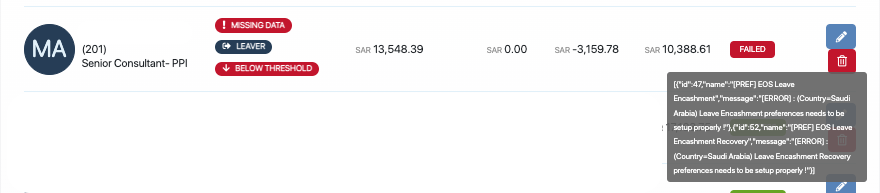
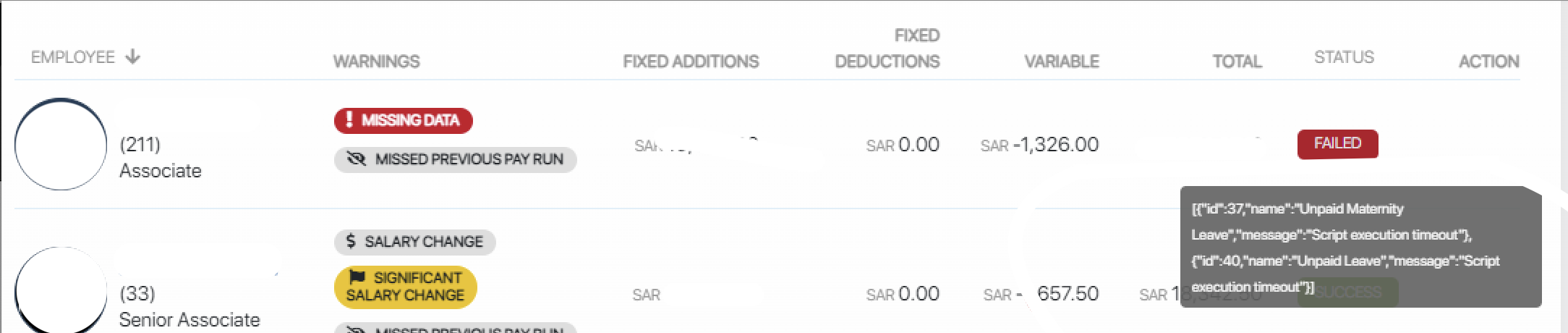
Hover your mouse over the red “Failed” button.
-
The system will display the specific error message associated with the failure.
-
Common Payrun Errors
Click on the links below to view troubleshooting steps for each issue:
Payrun Error 1) Employee must be assigned to a valid location

Payrun Error 2) Maternity Leave preferences needs to be setup properly

Payrun Error 3) Leave Encashment / EOS Leave Encashment Recovery preferences need to be setup properly
Payrun Error 4) Gratuity preferences need to be setup properly
Payrun Error 5) Script execution timeout
Payrun Error 6) Request failed with status code 403
If you encounter a payrun error not listed above, or if a customized pay category triggers a unique error, please follow these steps:
- Requery the payrun once to see if the issue resolves.
- If the error persists, raise a support ticket by emailing help@yomly.com.
- Include a screenshot of the error message and the name of the affected payrun in your email.
Comments
Article is closed for comments.